
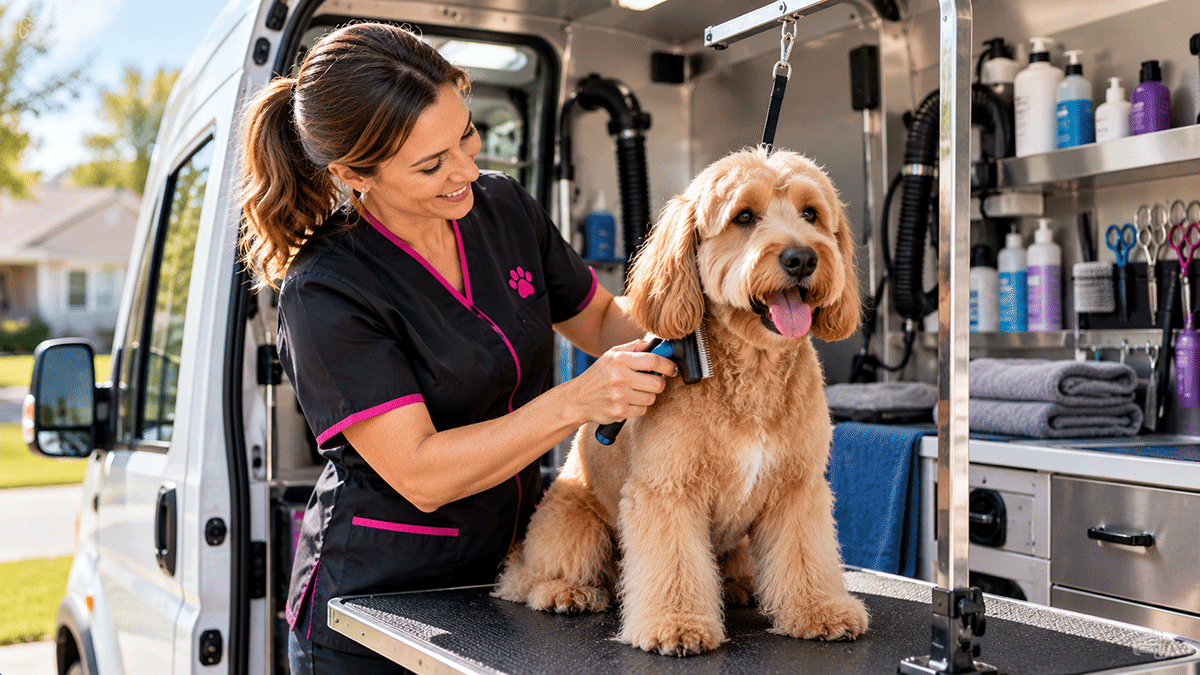
Running a mobile pet grooming business involves much more than bathing dogs, trimming coats, and keeping pets looking their best. Between scheduling appointments, managing customer information, coordinating employees, tracking expenses, and collecting payments, administrative responsibilities can quickly consume valuable time.
This case study explores how a small, independently owned mobile pet grooming company can use ServiceRep by Local Service Rep to organize daily operations, manage customer relationships, and maintain better visibility into business performance.
The Business: A Local Mobile Pet Grooming Company
Consider a small mobile pet grooming business serving residential customers throughout its local community. The company operates one or two grooming vans, providing convenient grooming services at customers’ homes.
Services may include bathing, brushing, haircuts, nail trimming, ear cleaning, and other routine grooming activities.
The owner manages customer relationships, appointment scheduling, purchasing, employee assignments, and financial oversight. One or more groomers travel to customer locations to provide services.
As the business grows, keeping appointments organized while maintaining accurate customer records and monitoring expenses becomes increasingly important.
The Challenge: Managing Appointments, Customers, and Mobile Employees
A mobile pet grooming business must coordinate several activities that directly affect customer satisfaction and profitability:
- Customer contact information and service addresses.
- Pet information and grooming preferences.
- Appointment scheduling and groomer assignments.
- Recurring grooming appointments and customer service history.
- Employee work assignments and completed services.
- Grooming supplies, equipment, and vehicle expenses.
- Customer invoices, payments, and outstanding balances.
- Financial information needed to monitor business performance.
When this information is scattered across appointment books, text messages, spreadsheets, and separate billing applications, managing daily operations becomes unnecessarily complicated.
ServiceRep provides a centralized system for managing the essential business activities surrounding each grooming appointment.
The Solution: Managing the Grooming Service Lifecycle with ServiceRep
Let’s follow a typical customer appointment from the initial service request through scheduling, grooming, payment, and management reporting.
Step 1: Receive the Customer’s Grooming Request
A customer contacts the company to schedule a grooming appointment for their dog.
The office employee searches for the customer in ServiceRep and reviews the available contact information, service address, and previous service history.
If this is a new customer, the employee creates a customer record containing the owner’s contact information, billing details, and grooming location.
Information about the pet, including its name, breed, grooming preferences, and relevant handling instructions, can be documented in the available customer, equipment, or job notes as appropriate.
ServiceRep’s customer records help the business maintain useful information for future appointments without relying on handwritten notes or disconnected spreadsheets.
Step 2: Create and Schedule the Grooming Appointment
The office creates a service job for the grooming appointment, selects the customer and service location, and records the requested services.
The appointment is scheduled, and an available groomer is assigned.
For example, a customer may request a full grooming service that includes bathing, brushing, a haircut, and nail trimming.
The job record provides a place to document these requirements and any special instructions.
The owner or office staff can review upcoming appointments and active jobs without maintaining a separate scheduling spreadsheet.
For repeat customers, previous service records provide a useful reference when scheduling future visits.
Step 3: Perform the Grooming Service
On the scheduled date, the groomer travels to the customer’s location and performs the requested services.
During or after the appointment, the groomer or authorized employee can update the job record with information about the completed work.
For example, the record might document:
- Grooming services performed.
- Special coat or handling considerations.
- Additional services requested by the customer.
- Relevant notes for future appointments.
- Employee time associated with the job.
- Travel mileage when applicable.
Maintaining these records helps the business provide consistent service and gives employees access to information from previous appointments.
Step 4: Complete the Appointment and Invoice the Customer
After the grooming service is finished, the groomer or authorized office employee updates the job status.
ServiceRep supports customer email notification when a job is completed.
The company then prepares an invoice for the grooming services and any additional billable items.
For example, an appointment might include a standard grooming package, nail grinding, and an additional coat treatment.
The invoice becomes part of the customer’s financial record.
Customer payments can be recorded in ServiceRep, allowing the business to maintain a history of completed services, invoices, and payments.
Step 5: Record Supplies and Operating Expenses
Mobile grooming businesses have expenses that extend beyond employee labor.
Common operating costs include:
- Shampoos, conditioners, and grooming products.
- Clippers, blades, brushes, and grooming tools.
- Towels, cleaning supplies, and disposable materials.
- Vehicle fuel, maintenance, and repairs.
- Grooming equipment maintenance and replacement.
- Insurance and other business operating expenses.
ServiceRep allows the company to maintain vendor information and record expenses by date, vendor, expense type, amount, and description.
Supporting receipts can also be attached to expense records.
These records help the owner understand the cost of operating the business alongside customer payments and completed grooming appointments.
Managing Daily Operations from the Office
While groomers are traveling between appointments and caring for customers’ pets, the owner or office staff needs to keep the business organized.
ServiceRep provides administrative tools for:
- Customer management: Maintain customer contact information, service addresses, and relevant service records.
- Appointment management: Create, schedule, assign, and track grooming jobs.
- Employee management: Maintain employee records and control authorized access.
- Service history: Review previous jobs and grooming-related notes.
- Expense management: Record purchases, categorize expenses, and maintain vendor information.
- Invoicing: Create invoices and monitor unpaid balances.
- Payments: Record customer payments and maintain transaction history.
- Business oversight: Review scheduled appointments, completed jobs, and financial activity.
These capabilities are particularly useful for small mobile grooming businesses where the owner may also work as a groomer and handle administrative responsibilities outside normal business hours.
Accounting and Financial Reporting
Completing grooming appointments is only part of operating a successful business. Owners also need to understand how much money the company collects, what it spends, and which customer invoices remain unpaid.
ServiceRep’s Company Snapshot provides an overview of business activity for a selected reporting period.
Available information includes:
- Customer payments collected.
- Sales tax collected.
- Company expenses.
- Realized income based on recorded collections and expenses.
- Invoices created and outstanding balances.
- Completed grooming jobs.
- Recorded employee job time and mileage.
- Expenses organized by type and vendor.
For example, the owner can review monthly grooming revenue collected, identify outstanding customer balances, examine vehicle and supply expenses, and monitor the number of completed appointments.
This information helps the owner evaluate operating costs, review business activity, and make more informed decisions about pricing, staffing, and future growth.
ServiceRep also provides CSV exports for financial and operational records, allowing the business to share information with its accountant or use it in other reporting tools.
ServiceRep provides operational financial reporting and accounting exports. It is not intended to replace a complete general ledger accounting system.
Why This Approach Works for a Mobile Pet Grooming Business
A small mobile grooming company rarely needs the complexity of a large enterprise management platform. It needs practical tools that help employees complete their work while keeping customer information and business records organized.
By connecting customer records, service locations, scheduling, grooming appointments, employee assignments, expenses, invoicing, and reporting, ServiceRep can help reduce duplicated administrative work.
Instead of maintaining separate systems for appointments, customer records, and financial tracking, the business can manage these activities through one application.
The result is a more organized approach to running the company, with fewer disconnected records and better visibility into daily operations.
A Practical Solution for Mobile Service Businesses
Although this example focuses on mobile pet grooming, the underlying workflow applies to many businesses that deliver services at customer locations.
Whether a company provides mobile detailing, equipment repair, home maintenance, or other appointment-based services, the essential business process is often similar:
Customer Request → Schedule Appointment → Assign Employee → Perform Service → Record Charges → Invoice → Collect Payment → Review Results
ServiceRep brings these activities together in an application designed around the practical needs of smaller service businesses.
See How ServiceRep Can Work for Your Business
Looking for a simpler way to manage grooming appointments, customers, employees, expenses, and invoicing?
Explore ServiceRep and discover how its business management features can support your daily operations.
For additional examples, visit our Case Studies directory.