

Employee Timekeeping
Simple Employee Time Tracking for Service Businesses
Give employees a straightforward way to clock in and out, select their work location and task, and keep accurate time records in one practical system.
TimeClock works on phones, tablets and computers as a progressive web app—without requiring specialized time-clock hardware.
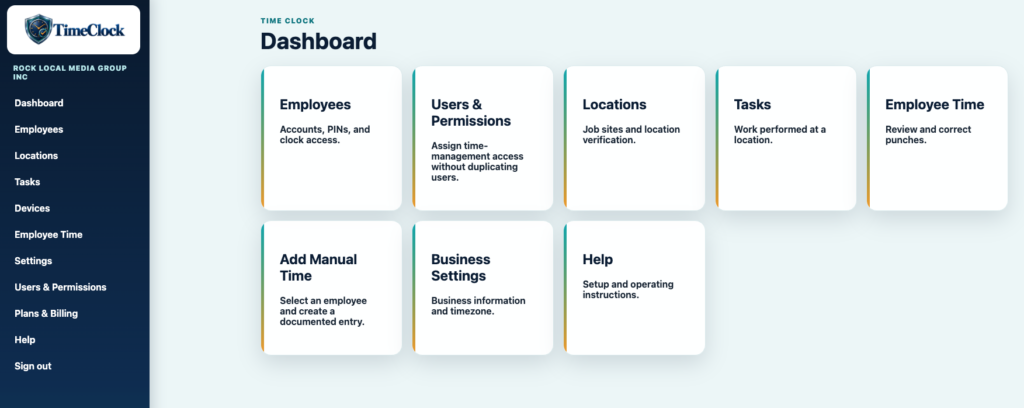
Built for contractors, repair shops and other service businesses that need dependable employee time records without a complicated workforce-management platform.
Know Who Worked, Where They Worked and What They Did
Paper timecards, text messages and disconnected spreadsheets make it difficult to verify hours and prepare reliable payroll records.
TimeClock connects employees, physical work locations, tasks, punch-time location details and administrator corrections in one secure, tenant-specific record.
Practical Timekeeping From Clock-In to Reporting
Set up the business once, then give employees and time managers only the access they need.
Employee Clock Access
Create employee accounts, generate unique PINs and decide individually who may clock from a phone.
Locations First
Define each job site or physical work location, including coordinates and an optional allowed radius.
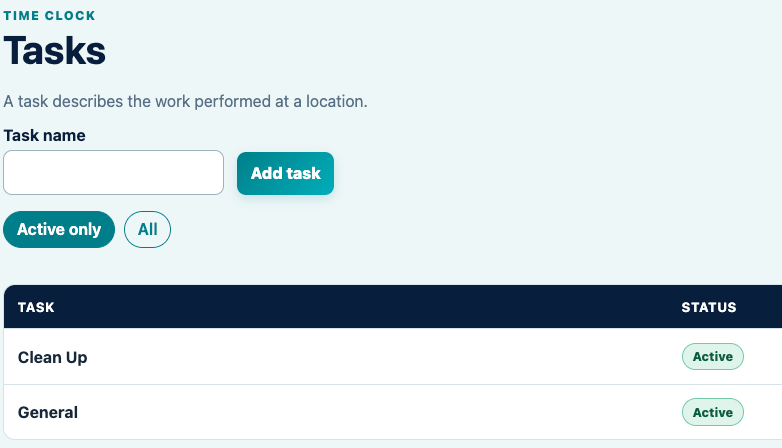
Tasks at the Location
Let employees identify the work being performed, such as installation, cleanup, service or general labor.
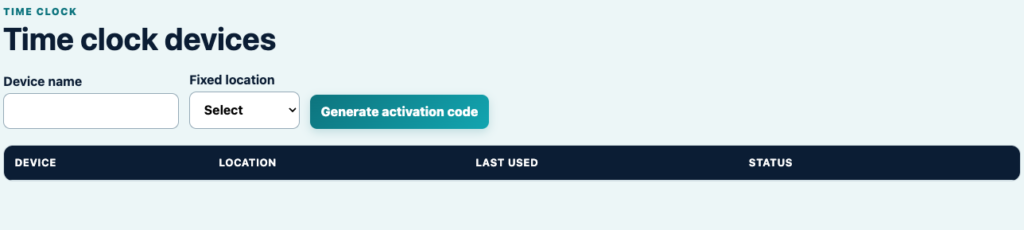
Tablet and Phone Clocking
Activate a shared tablet kiosk or allow approved employees to clock from their own phone using the business code and PIN.
Punch-Time Geolocation
Record location, accuracy and distance when an employee clocks in or out. TimeClock does not continuously track employees.
Reports and Corrections
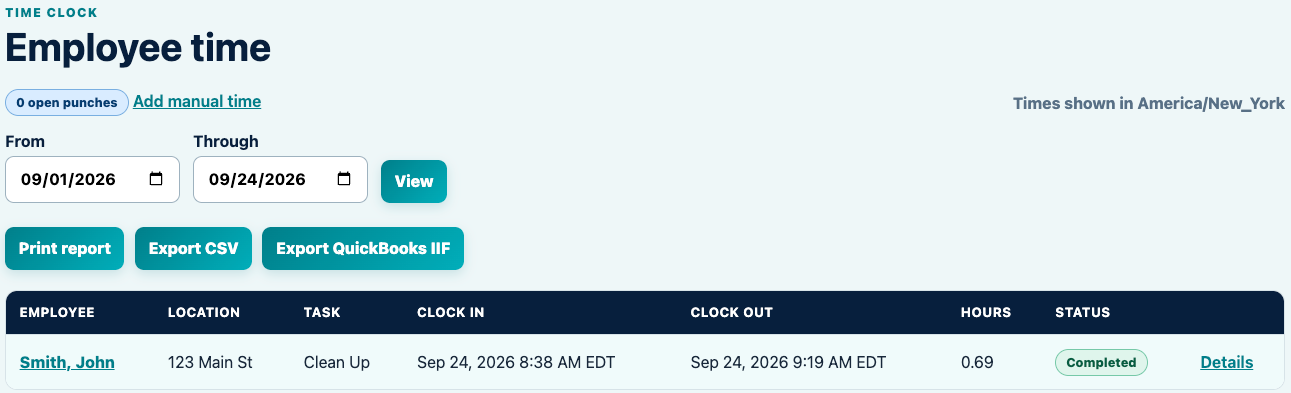
Review punches, make documented corrections, print reports, export CSV and create QuickBooks IIF exports.
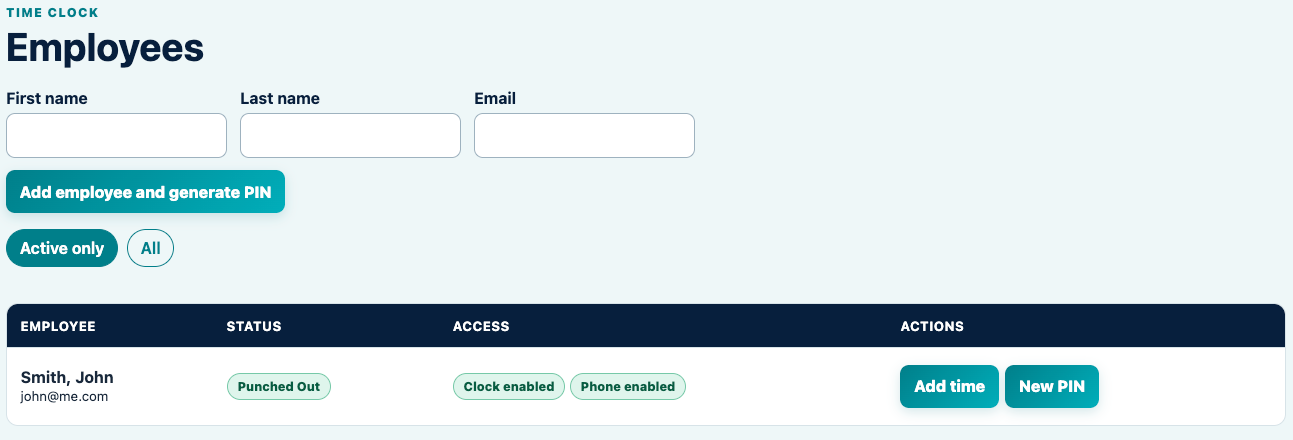
See Employee Status at a Glance
Quickly see whether each employee is punched in or out, whether clock access is enabled and whether that employee is permitted to use the phone clock.
Generate a new PIN when needed and add a documented manual time entry directly from the employee list.
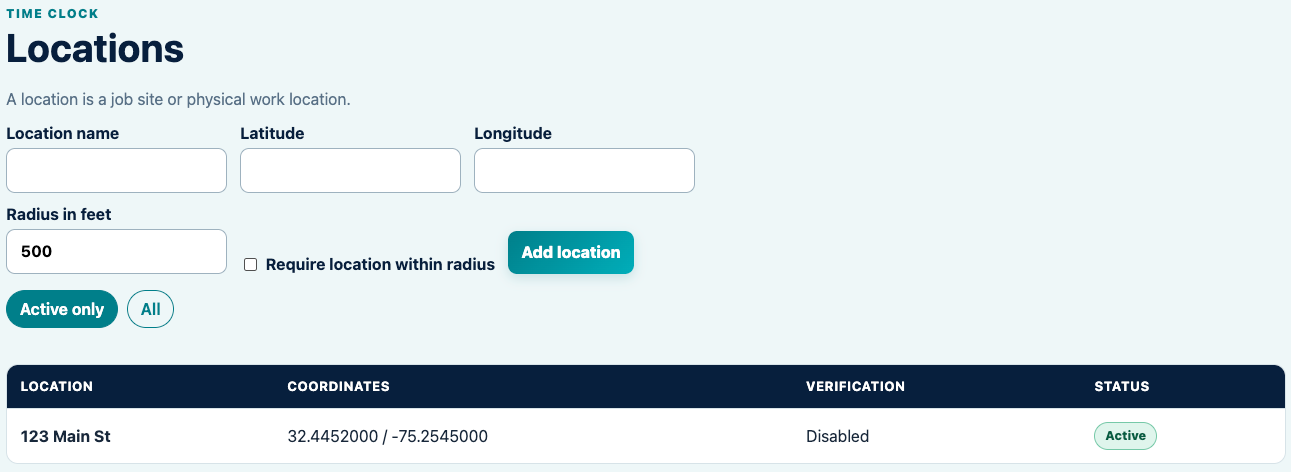
Add a Documented Manual Entry When Necessary
Administrators and authorized Time Managers can enter missed time while preserving the employee, location, task, time zone and required reason for the manual entry.
Manual entries are clearly distinguished from device punches and do not claim to contain device geolocation.
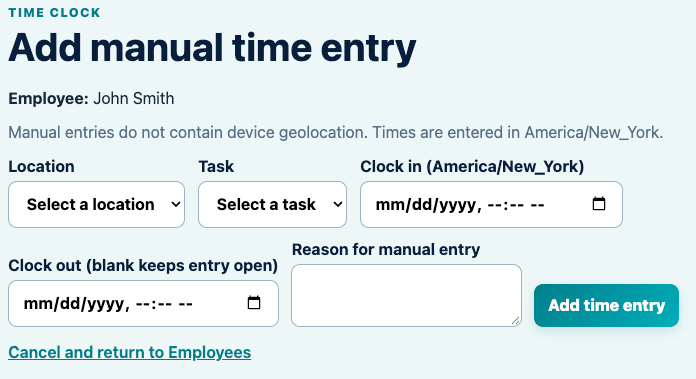
Organize Time by Location and Task
Locations identify where the employee worked. Tasks identify the work performed there.
Use a Shared Device or an Approved Employee Phone
Activate a tablet as a fixed-location time clock using a short-lived activation code. Employees use the on-screen keypad and their individual PIN.
For approved employees, the administrator can send a secure phone-clock link. The business code can be remembered on the device to simplify future clock-ins.
Review, Correct, Print and Export Time
Review employee time by date range with the location shown before the task. Open punch details to see recorded coordinates, accuracy and distance from the configured work location.
Administrators can correct an entry with a required reason, print a report, export CSV or create a QuickBooks IIF file.
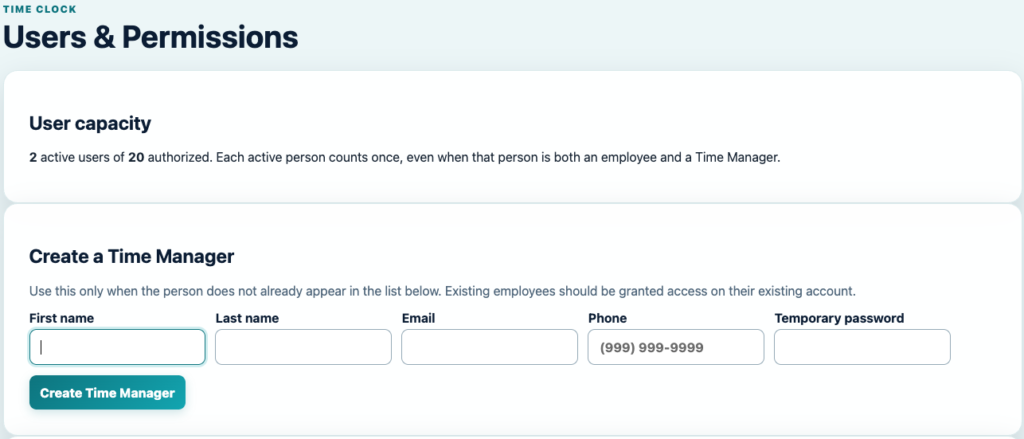
Separate Employees From Time Managers
Give supervisors or office staff permission to manage employee time without creating duplicate people or giving them access they do not need.
Each active person counts once toward the subscription allowance, even when that person is both an employee and a Time Manager.
Simple Pricing
Choose the TimeClock Plan That Works for You
Start with a free 14-day trial. Every paid plan includes 20 authorized users.
Monthly
$24.95
$1.00 per additional user each month
1-Year
$274.45
$10.00 per additional user each year
2-Year
$499.00
$20.00 per additional user every two years
Additional-user charges are prorated when users are added during a paid term.
A Clearer Way to Track Employee Time
From employee PINs and phone access through locations, tasks, punch-time geolocation, corrections and exports, TimeClock keeps the essential timekeeping record together.
No credit card is required to begin the trial.