

Work Order Management
Work Order Management Software Built for Service Businesses
Receive customer requests, document equipment, assign work, track employee time, create invoices and record payments in one practical system.
From customer intake through billing and daily closeout, WorkOrder keeps the work organized without the complexity of an oversized service-management platform.
Keep the Entire Work-Order Lifecycle Together
Customer details in one place, equipment notes somewhere else, employee time on paper and payments in another system make service work harder to follow than it needs to be.
WorkOrder connects intake, equipment and components, team assignments, labor time, invoicing, customer payments and end-of-day closeout in a straightforward operational record.
Everything You Need to Move Work Forward
Follow the work from the first customer request through completion, billing and closeout.
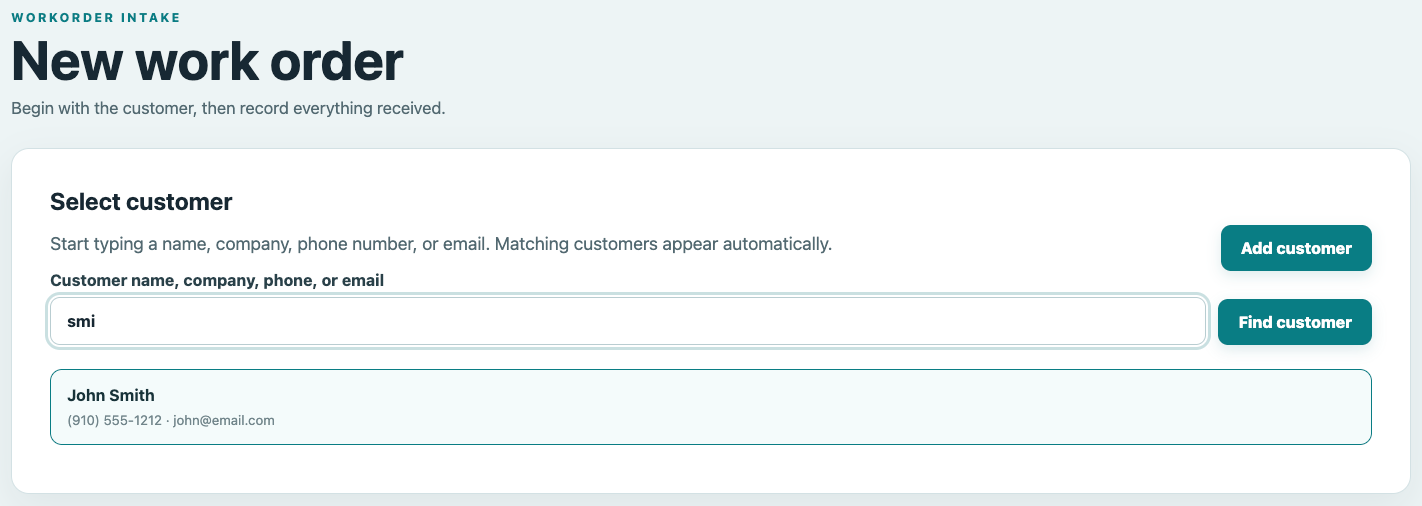
Customer Intake
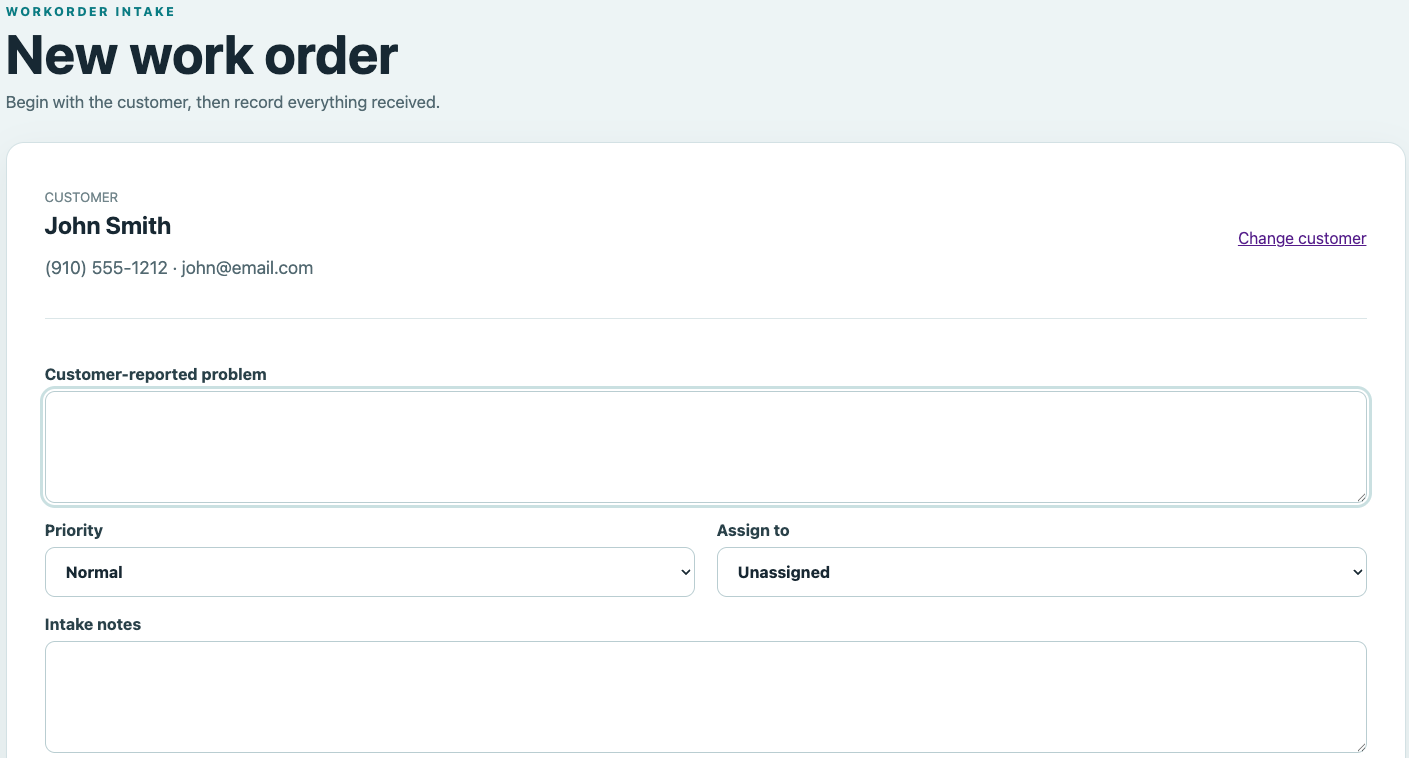
Find an existing customer or add a new one, record the reported problem, set priority and assign the work.
Equipment & Components
Document each item received, including make, model, serial number, service tag, accessories and condition notes.
Team & Employee Time
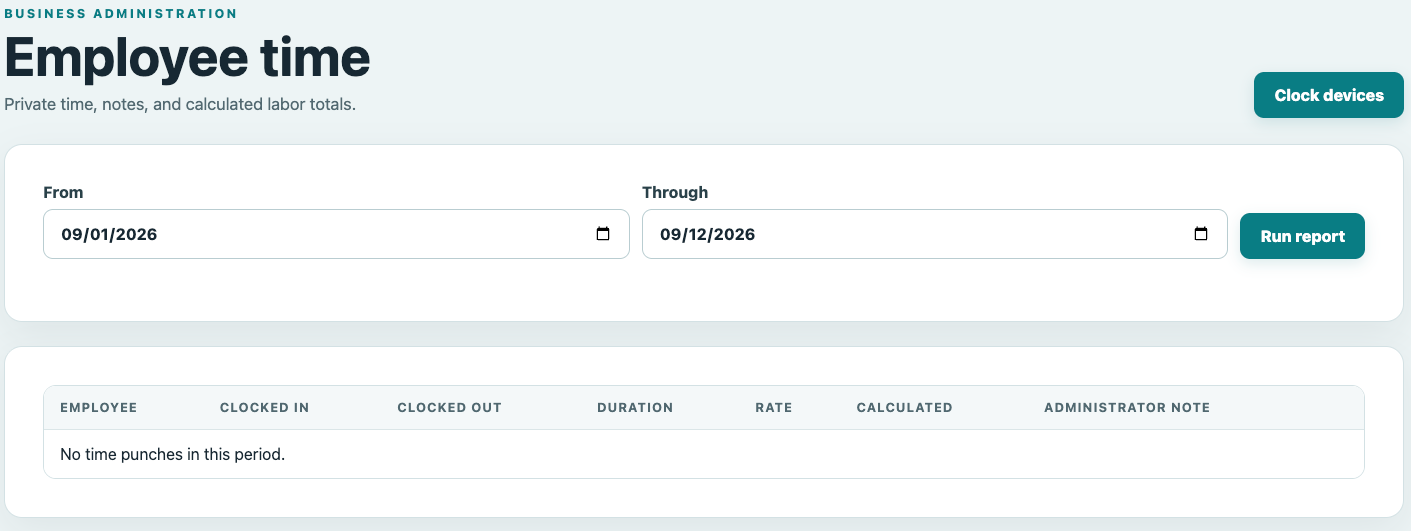
Manage authorized team members and review recorded clock-in, clock-out, duration, labor rate and labor totals.
Operational Invoicing
Create and track invoices connected to customers and work orders, with totals, status and outstanding balances visible.
Square or Stripe Payments
Connect your business account and provide secure customer payment links for eligible invoices.
Daily Payment Closeout
Review payment methods, sales tax and daily totals, then reconcile expected and actual cash when needed.
Keep Every Work Order Organized From the Start
WorkOrder begins with the customer. Find an existing customer or add a new one, record the problem they reported, set the priority and assign the work to the appropriate team member.
Each work order keeps the information needed to understand what came in, who it belongs to and what needs to happen next.
Track Equipment, Components and Condition Details
Create a clear record of exactly what the customer left with you before the work begins.
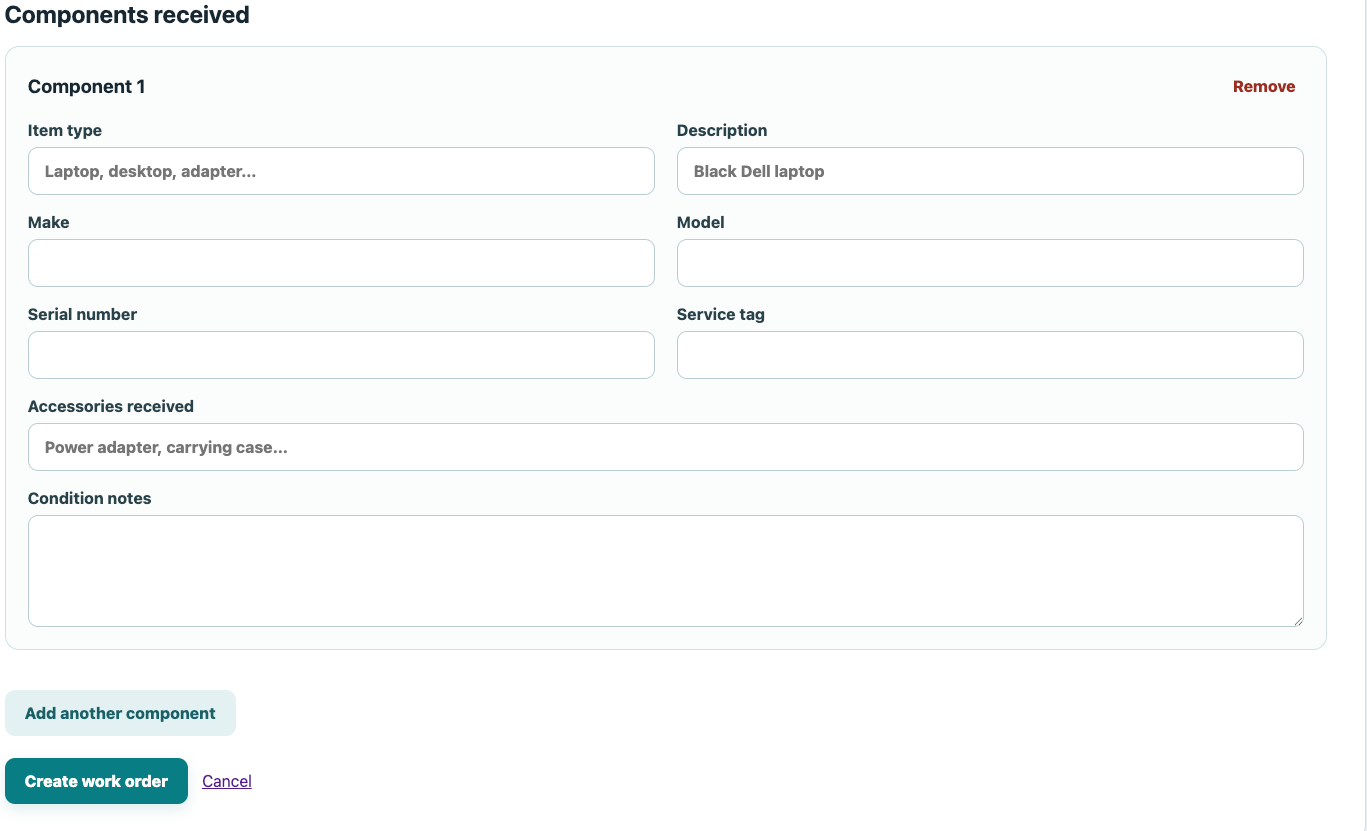
Record the item type, description, make, model, serial number, service tag, accessories and condition notes. Multiple components can be attached to the same work order.
Track Your Team and Employee Time
WorkOrder provides team management and employee time tracking without turning everyday administration into another complicated project.
Review recorded clock-in and clock-out times, duration, labor rates and calculated labor totals for the reporting period you choose.
Keep Invoicing Connected to the Work
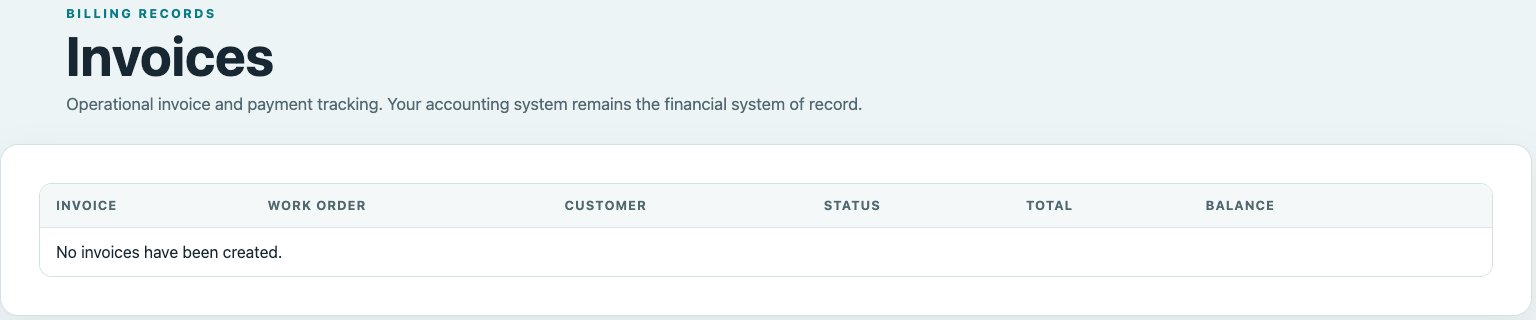
Create and track operational invoices associated with customers and work orders. Quickly see invoice status, totals and outstanding balances without maintaining a disconnected record of the work performed.
WorkOrder handles the operational side of invoicing and payment tracking while your accounting system remains your financial system of record.
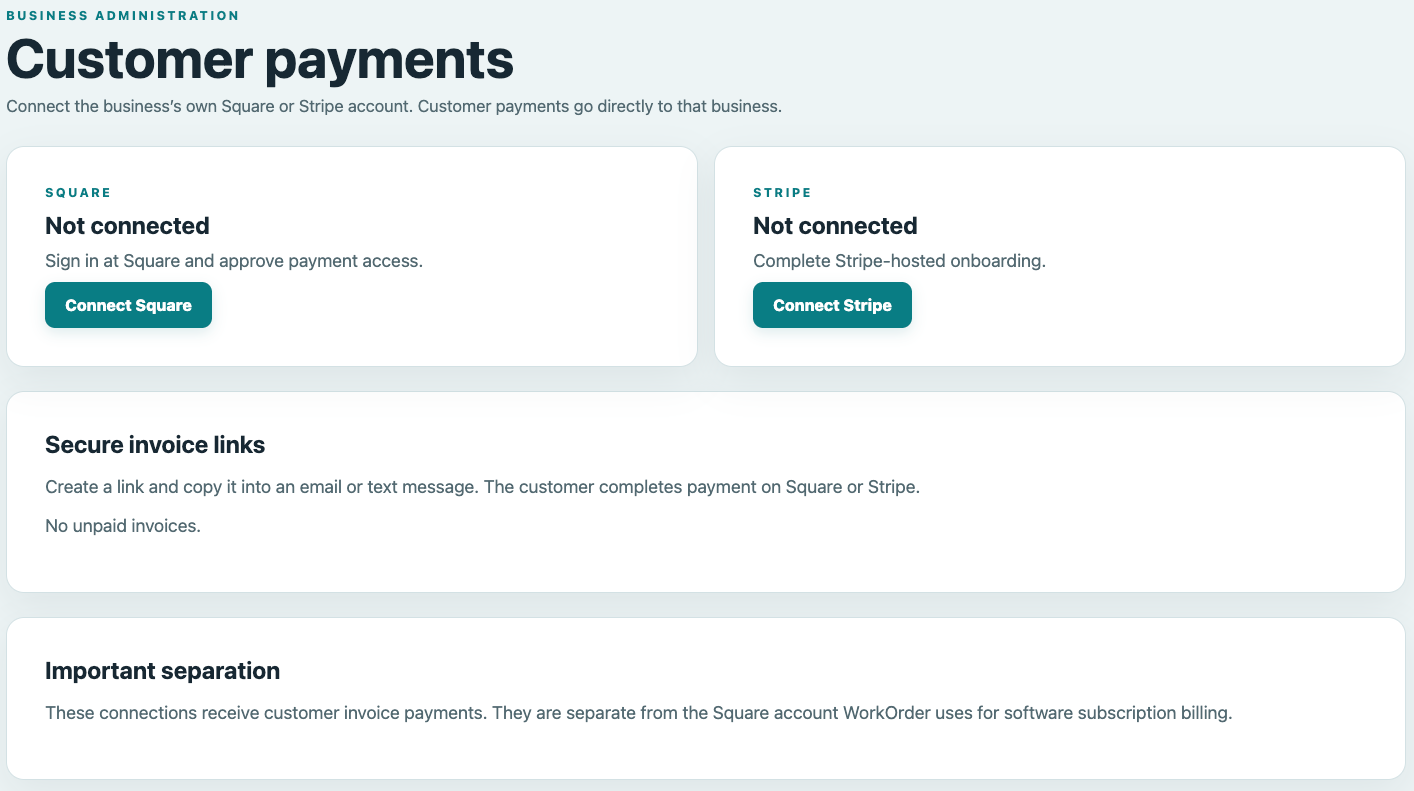
Accept Customer Payments Through Square or Stripe
Connect your business’s own Square or Stripe account and provide secure payment links for customer invoices. Payments are processed through the provider you choose and go directly to your business.
Your customer-payment connection remains separate from the account used to pay for your WorkOrder software subscription.
Reconcile Daily Payments Without Replacing Your Accounting System
Review what was collected during the business day and create a practical operational closeout record.
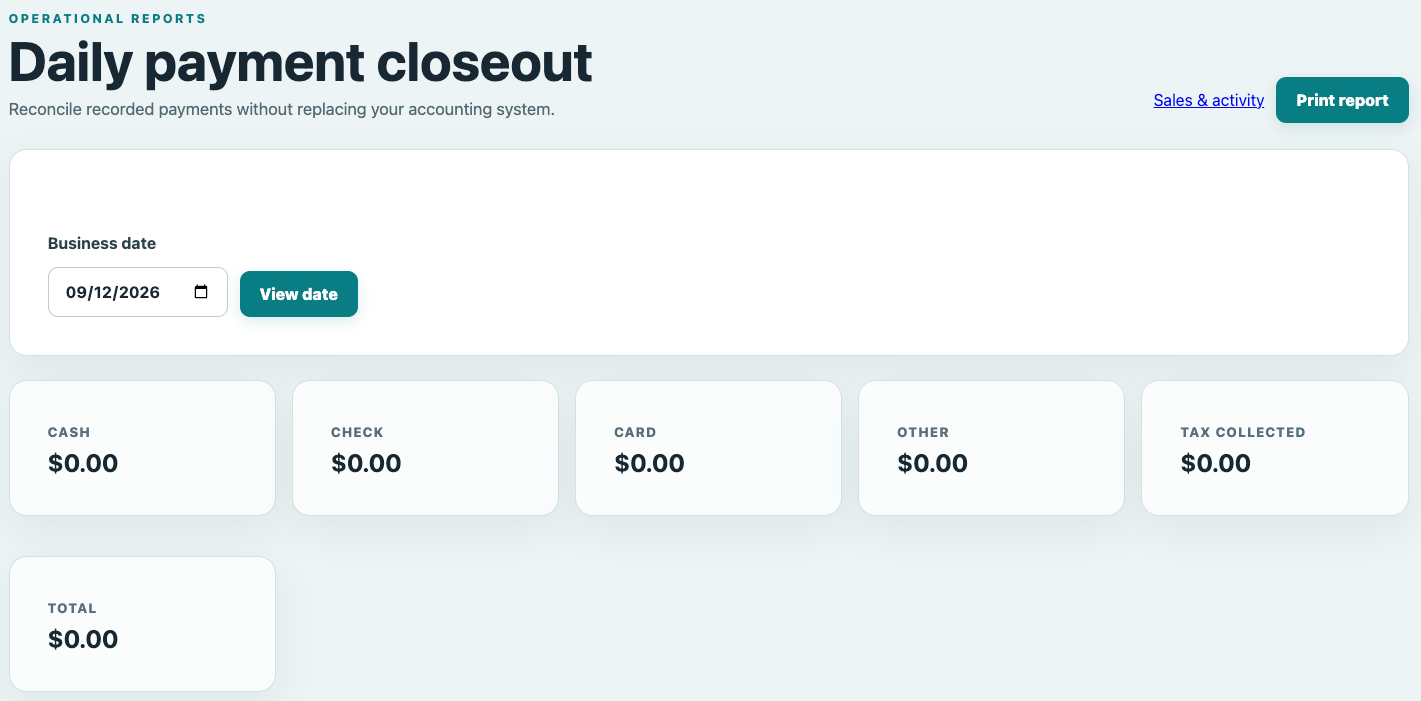
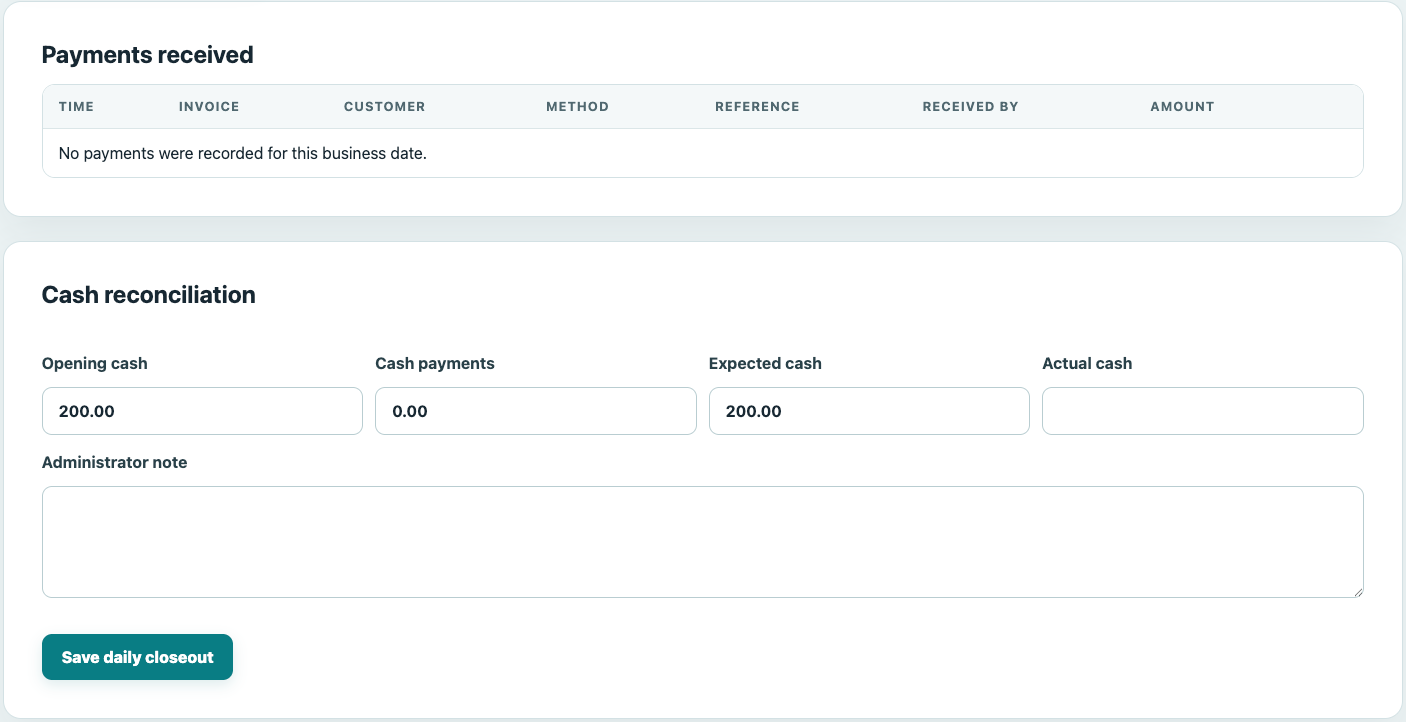
Review cash, check, card and other payments along with sales tax and the day’s total. When your business handles cash, compare opening cash, expected cash and actual cash, with space for an administrator note.
Simple Pricing
Choose the WorkOrder Plan That Works for You
Every plan includes a free 14-day trial. Choose the billing period that works best for your business.
Monthly
$24.95
billed monthly
1-Year
$274.45
billed annually
2-Year
$499.00
billed every two years
A Simpler Way to Manage the Work

From the first customer request through equipment intake, employee time, invoicing, payments and daily closeout, WorkOrder keeps the operational details together without trying to replace the accounting software you already use.
The login page includes the signup and free-trial option.