

Professional Time Tracking and Billing
Time and Billing Software Built Around the Work
Capture your time first, organize it by client and engagement, apply the right service and rate, and create clear billing reports.
TimeBilling gives professionals and small service businesses a practical way to record time as work happens without interrupting the work to complete every administrative detail first.
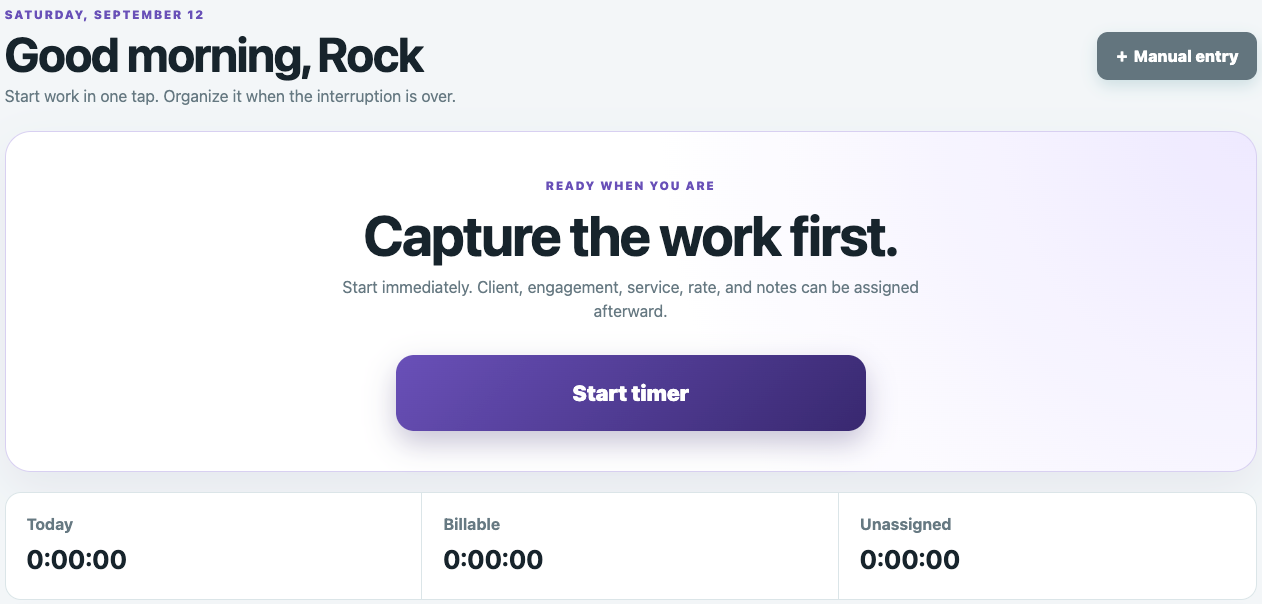
Stop Reconstructing Your Time After the Work Is Finished
Waiting until the end of the day or week to remember what you worked on can lead to missing details, lost billable time and inconsistent client records.
TimeBilling lets you start recording immediately. Assign the client, engagement, service, rate and notes afterward, when the interruption is over and you have time to organize the entry properly.
Everything You Need to Capture and Organize Billable Time
Keep clients, engagements, services, rates, time entries and billing details connected from the moment work begins.
One-Tap Time Capture
Start recording work immediately, add an optional quick note and organize the time entry after the timer stops.
Clients
Maintain records for the people and businesses receiving your work, including contact information, client numbers, status and notes.
Engagements
Organize client work into engagements with titles, service defaults, rate overrides, dates, status, summaries and assigned users.
Services and Rates
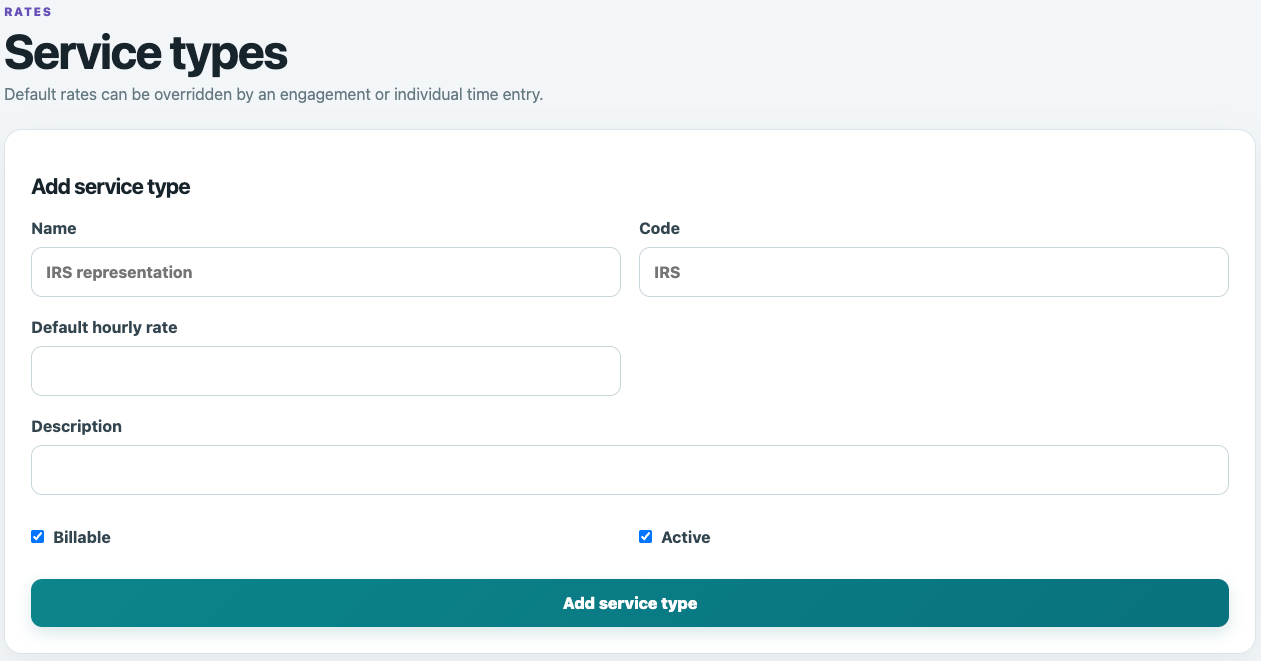
Create reusable service types with default hourly rates while retaining the flexibility to override rates for an engagement or individual entry.
Manual Entries and Corrections
Add time manually or correct recorded entries while maintaining an append-only business audit log of changes.
Reports and Billing Detail
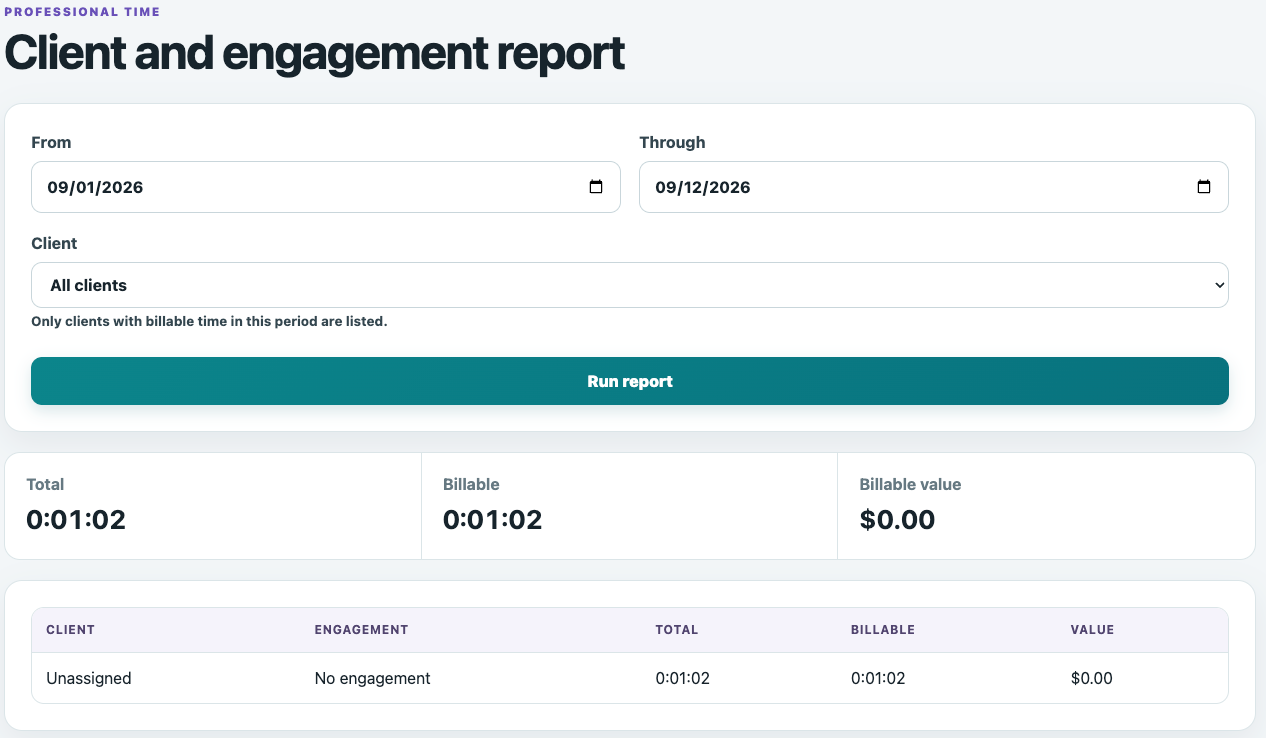
Review total and billable time by client and engagement, calculate billing value and produce printable billing details or PDFs.
Capture the Work First
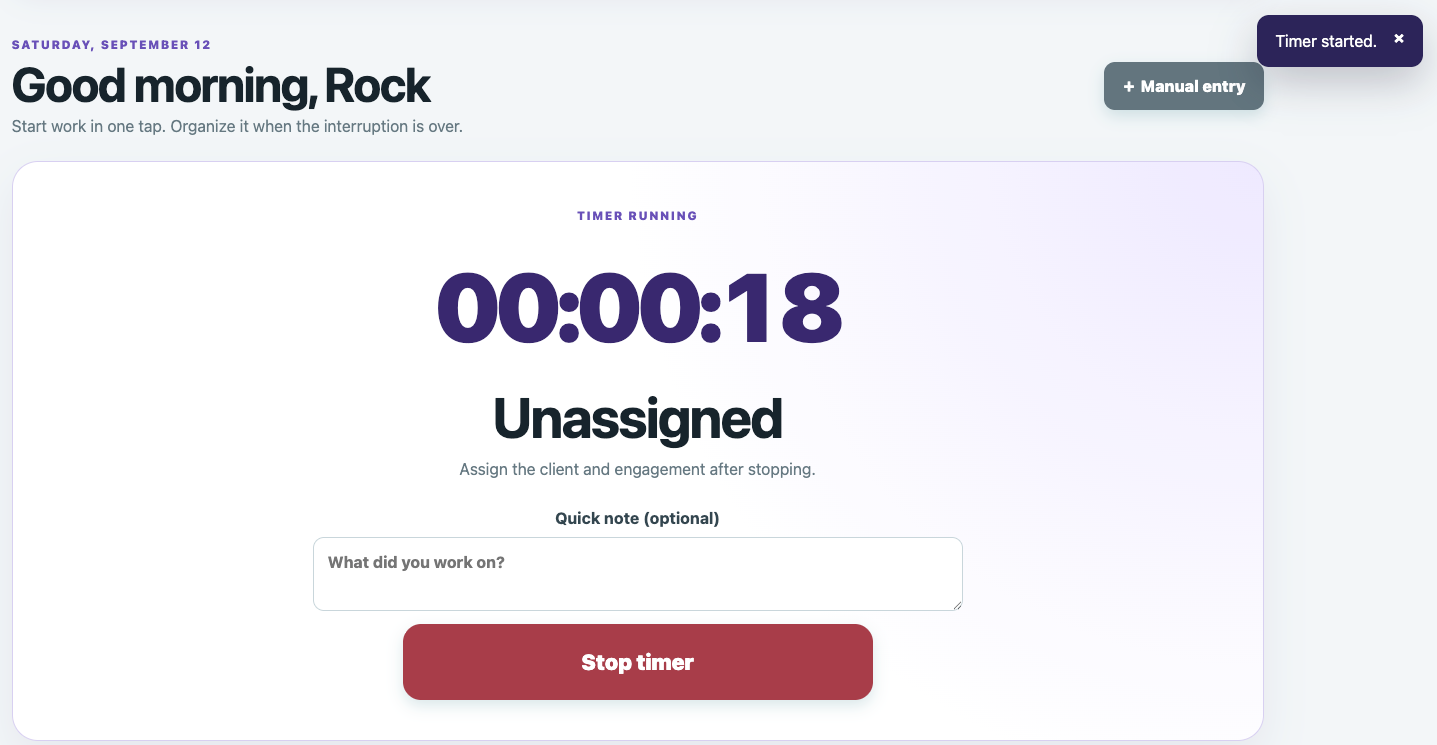
Start the timer in one tap without stopping to select a client, engagement, service or billing rate. TimeBilling begins recording immediately so the administrative details do not interrupt the work.
Add a quick note while the timer is running, then stop it when the work is complete. The time remains available to organize before it becomes part of your billing reports.
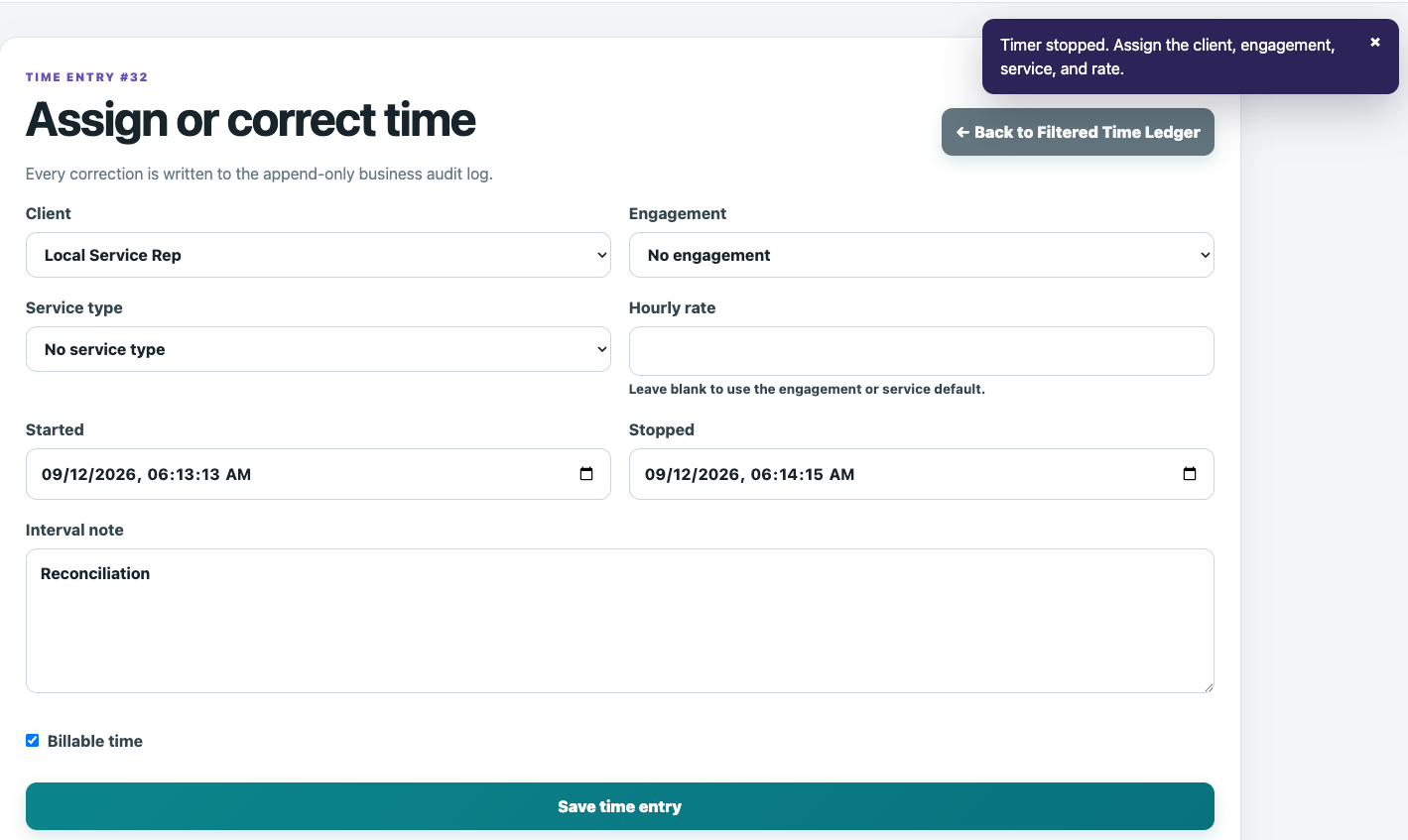
Organize the Entry When the Interruption Is Over
After the timer stops, assign the client, engagement, service type and hourly rate. Confirm the start and stop times, add an interval note and identify whether the time is billable.
If an entry needs to be corrected later, each correction is recorded in the append-only business audit log.
Keep Client Work Organized
Create client records once, then organize ongoing work into the engagements that belong to each client.
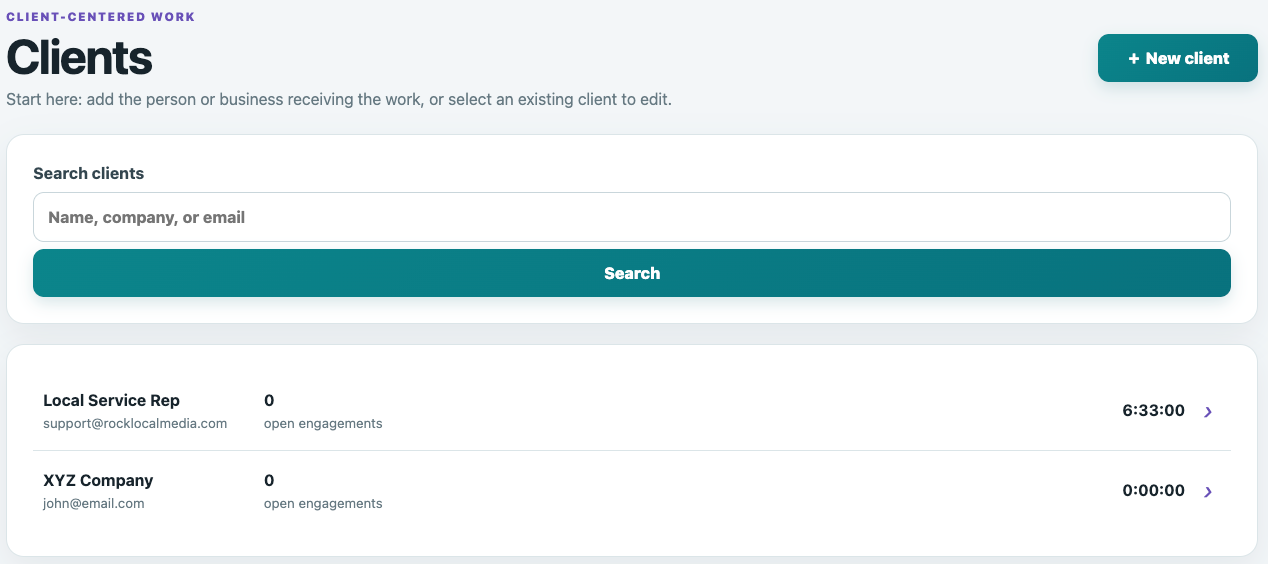
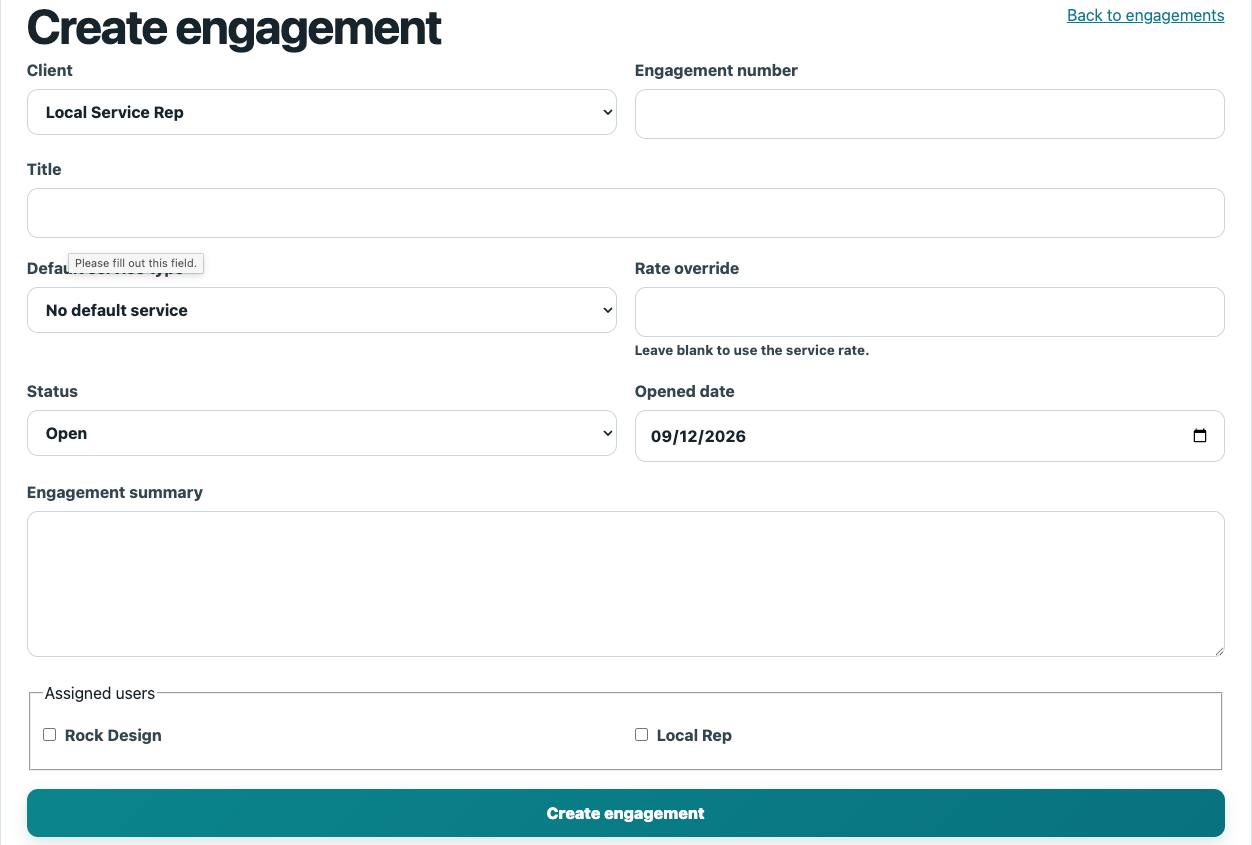
An engagement can carry its own service selection and rate override, helping you keep project-specific billing arrangements connected to the work they govern.
Set Up Services and Rates Once
Create reusable service types with a name, code, description and default hourly rate. Mark each service as billable or nonbillable and active or inactive.
Default rates help keep routine entries consistent, while engagement-level and individual-entry overrides give you flexibility when a particular arrangement requires a different rate.
See Where the Time Went and What It Is Worth
Run reports for the date range and client you choose. Review total time, billable time and billable value, then see how those totals are distributed across clients and engagements.
Unassigned time stays visible so recorded work can be reviewed and organized instead of disappearing from the billing process.
Turn Recorded Time Into Clear Billing Detail
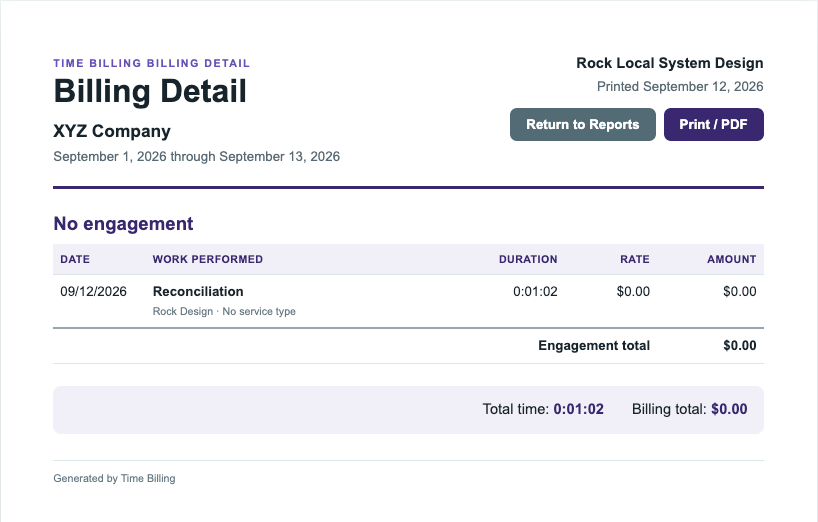
Generate client billing details that organize recorded work by engagement and show the date, work performed, duration, rate and calculated amount.
Review engagement totals, overall time and billing value, then print the report or create a PDF for your billing records and client documentation.
Simple Pricing
Choose the TimeBilling Plan That Works for You
Every TimeBilling plan includes a free 14-day trial. Choose the billing period that works best for your business.
Monthly
$24.95
billed monthly
1-Year
$274.45
billed annually
2-Year
$499.00
billed every two years

Capture the Time. Organize the Work. Prepare the Billing.
TimeBilling keeps clients, engagements, services, rates, time entries and billing details together without making administrative work harder than the work itself.