
Tracking Employee Hours Across Multiple Lawn Care Properties
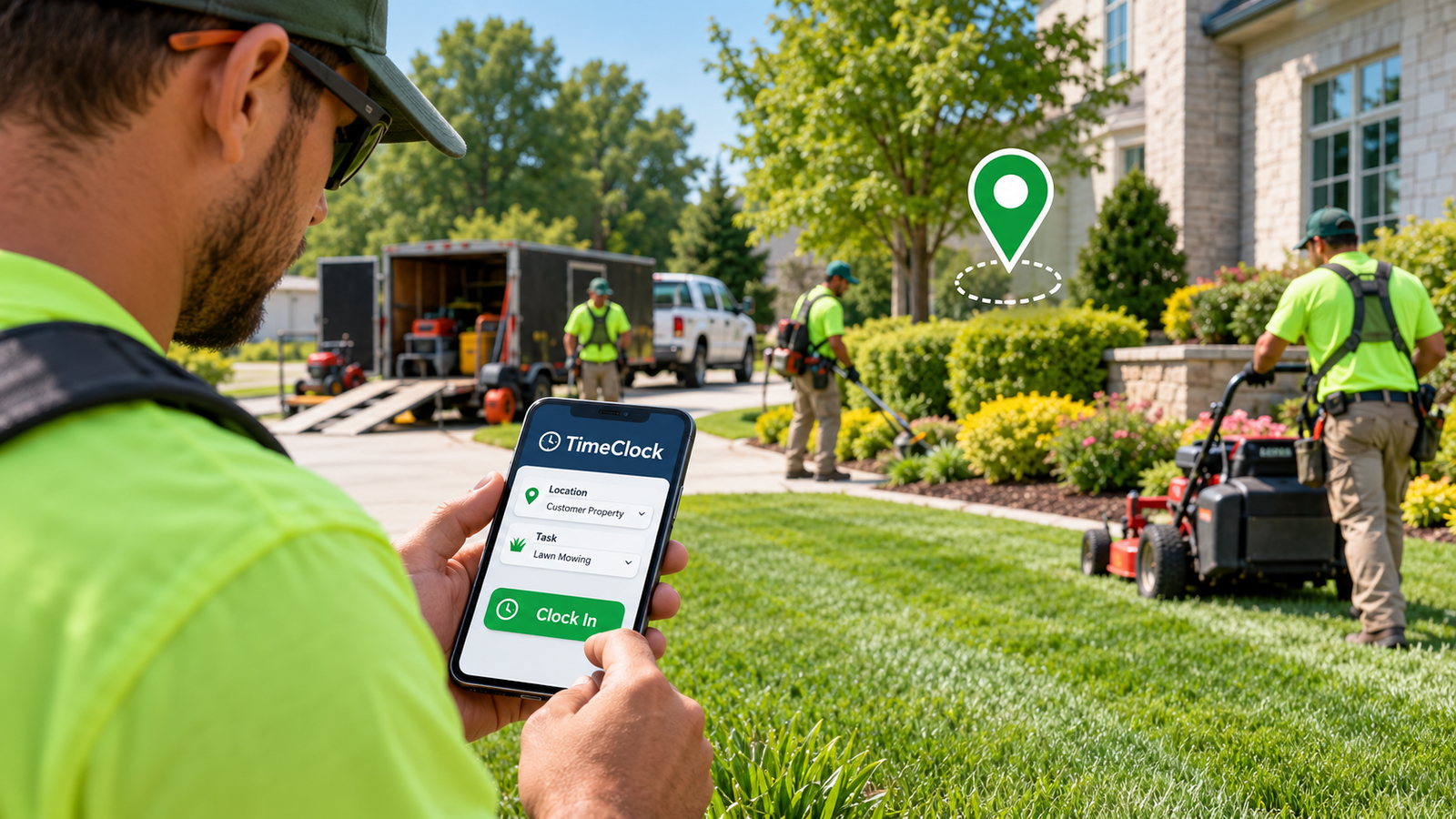
Landscaping and lawn care companies often have employees working at several customer properties throughout the day. Crews may begin at the company shop, travel between residential and commercial properties, and perform different services at each location.
Keeping accurate employee time records can become difficult when workers are constantly moving between job sites. Paper timesheets, handwritten job logs, and text messages may record basic hours, but they often leave business owners with incomplete information about where employees worked and how their time was spent.
The Business
Consider a small landscaping and lawn care company with several employees organized into two or three crews. The company provides recurring lawn maintenance for residential customers, commercial properties, and neighborhood associations.
Its services include mowing, edging, trimming, landscape maintenance, seasonal cleanup, mulching, and occasional property improvement projects.
Employees typically begin their day at the company shop before traveling to assigned properties. Some crews remain together throughout the day, while others split up to complete different assignments.
The owner needs a dependable way to record employee hours and associate those hours with customer properties and work activities.
The Challenge
The company previously relied on employees to record their hours on paper timesheets or report their start and finish times to a supervisor.
This created several problems:
- Employees sometimes forgot to record their starting or ending times.
- Supervisors had difficulty confirming which property an employee was working at when a punch occurred.
- Time records did not consistently identify the work performed.
- Employees moving between properties sometimes submitted incomplete information.
- Corrections required additional communication between employees and supervisors.
- Preparing employee hours for payroll involved reviewing handwritten records and messages.
- The owner had limited visibility into which employees were currently clocked in.
The company needed a simple employee timekeeping system that could support mobile crews without requiring dedicated time-clock equipment at every customer property.
Using TimeClock
The landscaping company begins using TimeClock to organize employee time records around its work locations and common landscaping tasks.
Regular customer properties are added as work locations. For properties where location verification is appropriate, the company can configure coordinates and an allowed clocking radius.
The company also creates tasks representing its common services, including:
- Lawn mowing
- Edging and trimming
- Landscape maintenance
- Mulching
- Seasonal cleanup
- Planting and installation
- Equipment maintenance
- General labor
Each employee receives an individual account and unique PIN. Employees authorized for mobile clocking can access TimeClock from their phones when beginning or ending work.
Clocking In at Customer Properties
When a crew arrives at its first customer property, each employee can select the appropriate work location and task before clocking in.
TimeClock records the punch time along with available location information, including reported coordinates, location accuracy, and distance from the configured work location.
This provides the company with a clearer record of where an employee was located when the punch occurred.
TimeClock records location details when an employee clocks in or out. It does not continuously monitor employee movements or track a crew’s travel throughout the workday.
When an employee completes an assignment and needs to record time against another property or task, the employee can clock out and begin a new entry for the next assignment.
Each completed time entry can identify:
- The employee
- The selected customer property
- The landscaping task
- The clock-in time
- The clock-out time
- The total recorded hours
- Available punch-time location details
Supporting Multiple Crews and Work Locations
A landscaping company may have several crews working at different properties simultaneously.
TimeClock allows employees to maintain individual time records associated with their selected locations and tasks. This helps the owner distinguish work performed at different customer properties without collecting separate paper timesheets from every crew.
Employees who begin their day at the company shop can use a shared tablet configured as a time-clock kiosk.
Employees working directly at customer properties can use mobile clocking when that permission has been enabled for their accounts.
This flexibility allows the company to support different employee work arrangements within the same timekeeping system.
Recording Different Landscaping Activities
Landscaping crews frequently perform several types of work during the same day.
For example, an employee may spend the morning mowing commercial properties and the afternoon performing landscape maintenance at a residential property.
By selecting the appropriate task when recording time, employees help the company maintain more useful records of their work activities.
These records can help managers review how employee hours were distributed across different properties and services.
TimeClock is an employee timekeeping application, not a landscaping job scheduling or customer billing system. Its purpose is to maintain organized employee time records that can support the company’s existing business processes.
Reviewing Employee Hours and Clock Status
The owner or an authorized Time Manager can review employee punches over a selected date range.
Recorded locations and tasks provide additional context when reviewing employee hours.
The employee list also indicates whether each employee is currently punched in or out. This can help a manager identify an employee who may have forgotten to complete a punch.
If an employee misses a punch or reports an incorrect entry, an authorized manager can make a correction and document the reason.
Managers can also create documented manual entries when an employee was unable to record time normally.
This provides a more consistent administrative process than making undocumented changes to handwritten timesheets.
Preparing Time Records for Payroll
At the end of the pay period, the company can review employee time records and prepare the information needed for payroll.
TimeClock supports printable reports and CSV exports. Businesses using a compatible QuickBooks workflow can also generate an IIF export.
These options reduce the need to gather employee hours from separate paper records, spreadsheets, and messages.
TimeClock does not process payroll. It provides organized timekeeping information that the company can use with its existing payroll procedures.
The Practical Benefits
By using TimeClock, the landscaping and lawn care company can:
- Maintain employee time records in one system.
- Associate employee punches with customer properties.
- Identify the landscaping tasks employees performed.
- Record available location information when employees clock in and out.
- Support employees working across multiple properties.
- Provide mobile clocking for authorized employees.
- Use a shared tablet for employees starting at the company shop.
- Review current employee clock status.
- Document missed punches and time corrections.
- Print or export employee time records for payroll preparation.
- Avoid purchasing dedicated time-clock equipment for every work location.
A Simpler Way to Track Landscaping Crew Hours
Landscaping and lawn care businesses depend on mobile employees who may work at several customer properties during a single day. Accurately recording employee hours becomes more difficult when crews are spread across multiple locations.
TimeClock gives small landscaping companies a practical way to organize employee time records around work locations, tasks, and documented punches.
With mobile clocking, optional location verification, shared-tablet support, and exportable time records, business owners can spend less time collecting timesheets and more time managing their crews and customers.
Start Your Free 14-Day TimeClock Trial
Explore Our Software Solutions
Local Service Rep offers practical, affordable software designed to simplify everyday business operations. Explore our solutions:
- ServiceRep – Customer and service management software for small businesses.
- WorkOrder – Create, assign, and track service work orders.
- TimeBilling – Track billable time and prepare customer invoices.
- TimeClock – Employee time tracking with location verification and reporting.
- DecaVault – Secure document storage and organization.
Developed by Rock Local Media Group, Inc.