
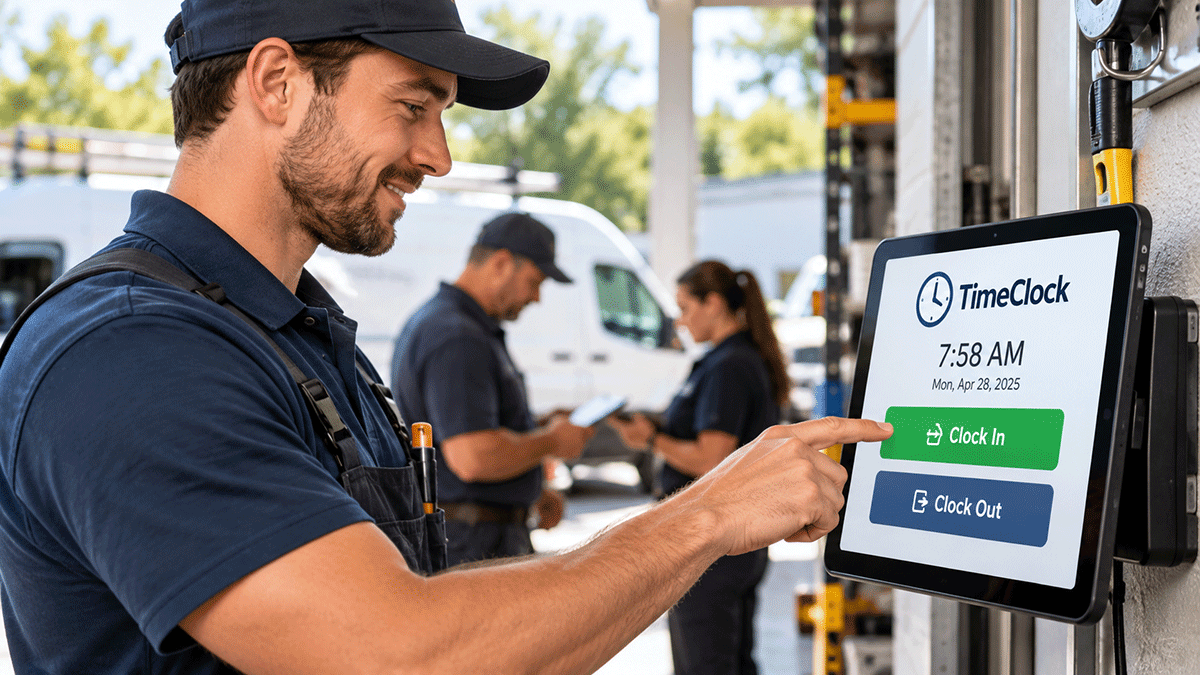
Employee Time Tracking Doesn’t Have to Be Complicated
Tracking employee hours is one of the most basic responsibilities of running a small business. Whether you operate a repair shop, cleaning service, landscaping company, or other service business, you need an accurate record of when employees start and finish their work.
Unfortunately, many small businesses find themselves choosing between outdated manual methods and expensive workforce management systems loaded with features they don’t need.
The good news is that tracking employee hours doesn’t have to be expensive or complicated. A straightforward digital time clock can provide the essential information you need without adding unnecessary administrative work.
Why Accurate Employee Time Tracking Matters
Employee time records affect much more than payroll. They help business owners understand labor costs, maintain consistent records, and reduce disagreements about hours worked.
When time tracking is unreliable, small discrepancies can accumulate into larger problems.
Accurate employee time tracking helps businesses:
- Maintain reliable records of employee hours.
- Reduce errors caused by handwritten timesheets.
- Prepare accurate information for payroll processing.
- Understand labor costs and staffing requirements.
- Reduce confusion about employee start and end times.
- Spend less time collecting and correcting timesheets.
For small businesses operating with limited administrative resources, these improvements can make a meaningful difference.
The Problems With Traditional Timesheets
Many small businesses still rely on paper timesheets, spreadsheets, or employees reporting their hours at the end of the week.
Although these methods may appear inexpensive, they introduce problems that are easy to overlook.
Handwritten Timesheets
Paper timesheets are simple to distribute, but they depend on employees remembering to record their hours accurately. Missing entries, illegible handwriting, and calculation errors can create unnecessary work when preparing payroll.
Spreadsheet-Based Tracking
Spreadsheets provide more flexibility than paper, but someone must still enter the information, verify its accuracy, and calculate hours worked.
As the number of employees increases, maintaining these records can become increasingly time-consuming.
Reconstructing Hours From Memory
Perhaps the least reliable method is asking employees to remember their hours several days after the work was performed.
Even conscientious employees may have difficulty recalling exact start times, breaks, or departure times.
A better approach is to record time when the activity actually occurs.
What Does a Small Business Really Need From a Time Clock?
Most small businesses don’t need an enterprise workforce management platform simply to track employee hours.
They need a system that makes it easy for employees to record their time and for management to review those records.
When evaluating employee time tracking software, consider these essential capabilities:
- Simple clock-in and clock-out: Employees should be able to record their time without navigating complicated menus.
- Accurate timestamps: Each time entry should include a reliable record of when the employee started and stopped working.
- Individual employee records: Management should be able to review hours for each employee.
- Clear time history: Previous entries should be available for review when questions arise.
- Easy administration: Managing employee records shouldn’t require extensive training.
- Useful reporting: Recorded hours should be easy to review and use when preparing payroll.
- Affordable pricing: The cost should make sense for a small business rather than requiring an expensive enterprise subscription.
Depending on the business, additional features such as break tracking, overtime reporting, or employee scheduling may also be important. The key is choosing software that fits the actual workflow rather than paying for features that will never be used.
Digital Time Tracking Can Reduce Administrative Work
One of the greatest benefits of a digital time clock is eliminating the need to reconstruct employee hours from handwritten notes or spreadsheets.
Instead of collecting timesheets at the end of a pay period, management can review time records that were created as employees worked.
This can simplify payroll preparation and make it easier to identify missing or questionable entries before they become larger problems.
Digital records also provide a consistent history that can be referenced when employees or managers have questions about previously recorded hours.
Time Tracking and Payroll Are Not the Same Thing
It’s important to distinguish between tracking employee hours and processing payroll.
A time clock records when employees work. Payroll software uses employee time information along with pay rates, deductions, taxes, and other information to calculate compensation.
Some workforce management platforms combine these functions, but many small businesses already have a payroll provider or accounting system.
In those situations, a standalone time tracking application may be a more practical choice than replacing an existing payroll process.
The objective is to collect accurate employee time records and make them available for payroll preparation.
Don’t Overlook Employee Timekeeping Requirements
Employers should also understand the recordkeeping requirements that apply to their businesses.
Under the federal Fair Labor Standards Act, covered employers generally must maintain accurate records of hours worked by nonexempt employees. State laws may impose additional requirements.
Timekeeping practices should account for applicable rules concerning compensable work, overtime, meal periods, and record retention.
A digital time clock can help maintain organized records, but employers remain responsible for following applicable wage and hour laws.
A Simpler Approach: TimeClock by Local Service Rep
At Local Service Rep, we believe business software should solve practical problems without introducing unnecessary complexity.
That philosophy is behind TimeClock, our employee time tracking application designed to provide a straightforward alternative to complicated workforce management systems.
Rather than assuming every small business needs a comprehensive human resources platform, TimeClock focuses on the essential task of recording employee work time.
For businesses that already have established payroll and accounting processes, a dedicated time tracking application can be a practical way to improve recordkeeping without changing everything else.
Choosing the Right Employee Time Tracking Solution
Before selecting a time clock application, consider how your employees currently record their hours and what problems you want to eliminate.
Ask yourself:
- Are employees forgetting to record their time?
- Are handwritten timesheets creating payroll errors?
- How much time is spent collecting and calculating employee hours?
- Do managers need a better way to review time records?
- Are you paying for workforce management features you rarely use?
- Would a simpler standalone time clock fit your existing business processes?
The best solution isn’t necessarily the one with the longest feature list. It’s the one that reliably handles your requirements while making everyday work easier.
Final Thoughts
Accurate employee time tracking is essential, but it shouldn’t require expensive software or complicated administrative procedures.
For many small businesses, replacing paper timesheets and manual calculations with a straightforward digital time clock is a practical first step toward better operational records.
The goal is simple: record employee hours accurately, reduce administrative effort, and keep the information organized when you need it.
Looking for a simpler way to track employee hours? Explore TimeClock by Local Service Rep and see whether it fits your business.
Explore Our Software Solutions
Local Service Rep offers practical, affordable software designed to simplify everyday business operations. Explore our solutions:
- ServiceRep – Service business management.
- WorkOrder – Work order and repair management.
- TimeBilling – Time tracking and client billing.
- TimeClock – Employee time tracking.
- DecaVault – Personal information and record management.
Developed by Rock Local Media Group, Inc.